
Before I began to describe the way I would like to give some description about what Zip And Rar files are:
What Is a ZIP File?
A file with the ZIP file extension is a ZIP Compressed file and is the most widely used archive format you’ll run into.
A ZIP file, like other archive file formats, is simply a collection of one or more files and/or folders but is compressed into a single file for easy transportation and compression.he most common use for ZIP files is for software downloads. Zipping a software program saves storage space on the server, decreases the time it takes for you to download it to your computer, and keeps the hundreds or thousands of files nicely organized in the single ZIP file.
Another example can be seen when downloading or sharing dozens of photos. Instead of sending each image individually over email or saving each image one by one from a website, the sender can put the files in a ZIP archive so that only one file needs to be transferred.
:max_bytes(150000):strip_icc():format(webp)/zip-files-593e751f3df78c537be5c083.PNG)
How to Open a ZIP File
:max_bytes(150000):strip_icc():format(webp)/open-zip-windows-5b45ec3446e0fb0037baf715.PNG)
The easiest way to open a ZIP file is to double-click on it and let your computer show you the folders and files contained inside. In most operating systems ,including Windows and macOS, ZIP files are handled internally, without the need for any extra software.
Now, You can extract these type files from the website called extract.me Archive Extractor:
Here is a screenshot of the site: 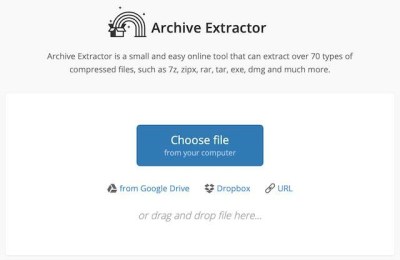
Now, You can extract these type files from the website called extract.me Archive Extractor:
Here is a screenshot of the site:
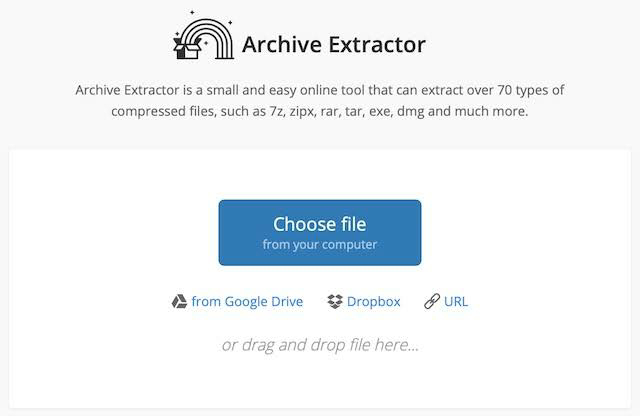
Just click on Choose file button and upload your file and you will get the file extracted within a few seconds.
And, then you can download the files contained in the .zip file.
I think this is the best way to extract files on any device, no need to use any app.
 MyAndro Box